Window actions and multi-monitor limits
This document describes the limits that macOS places on moving windows with touch through UPDD Commander, with its Move window action (macOS, since UPDD Commander 1.9.9) or by dragging a title bar. The window actions themselves are described in Gestures and actions.
Windows that cannot be moved
UPDD Commander uses an Accessibility framework provided by Apple to move windows, and this does not work on some of Logic Pro's windows.
This is the only method of moving windows that an application like UPDD Commander can use, so if it does not work, there is no realistic alternative.
Moving windows between monitors
A dialog cannot be moved from one touch monitor to another using touch if the displays have separate spaces.
This is a limitation of macOS. It is designed so that any one window is visible on a single monitor, and to move it between monitors the mouse cursor has to move from one monitor to the next. This is no problem with a mouse, but not possible with a touch screen.
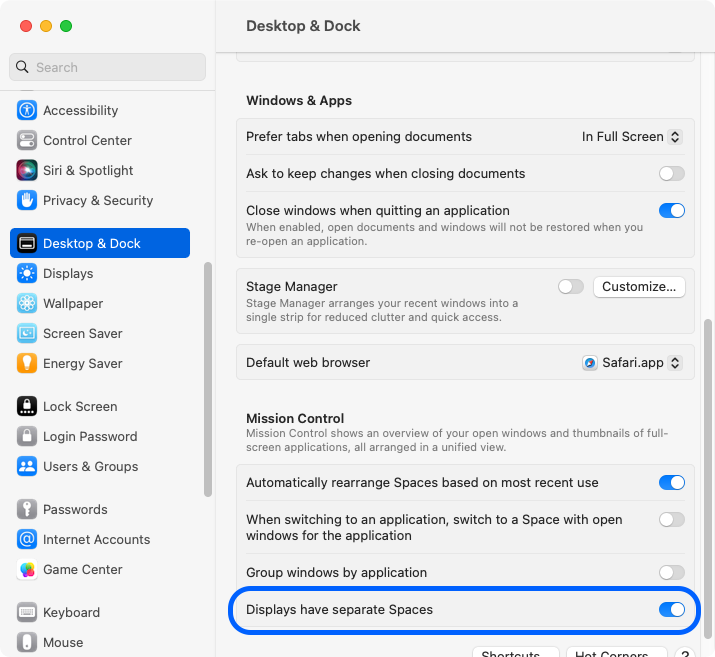
In the macOS system settings there is a setting "Displays have separate spaces". With this disabled, windows can span multiple monitors, allowing you to move them between touch screens. This is only useful if macOS's separate spaces per monitor feature is not required.