JUCE applications and plug-ins
JUCE is an open-source cross-platform framework for developing applications and plug-ins, especially for DAW applications. While it has built-in support for multi-touch on operating systems that have native touch support, such as Windows or iOS, it does not support multi-touch on macOS. Touch-Base has made an addition to JUCE that implements multi-touch on macOS for systems that have UPDD installed, and has submitted it as a pull request to the JUCE GitHub repository.
It is fairly simple for a JUCE developer to include these changes in their application or plug-in: all that is necessary is changing a few files in JUCE's source code. This can be done by applying a patch file to your local JUCE installation, or by checking out the pull request from the JUCE GitHub repository.
Afterwards, if UPDD Commander is running, you need to configure it to skip gesture processing for touches that fall within your application and instead pass the touches along directly.
Option 1: applying the patch file
- Download and unzip the patch file from here.
- Move it into the root of your JUCE directory. This is the directory that contains the "modules" subdirectory.
- In a terminal window, change the current directory to your JUCE directory and then apply the patch:
cd /path/to/your/JUCE patch -p1 < updd-multitouch.patch - Clean and do a full rebuild of your project.
Option 2: checking out the pull request
If you have installed JUCE from its official git repository, you can check out Touch-Base's pull request into a separate branch by executing the following terminal commands:
cd /path/to/your/JUCE
git fetch origin pull/1382/head:updd-multitouch
git checkout updd-multitouch
Afterwards, perform a clean and full rebuild of your project.
Option 3: applying the changes manually
The latest changes to JUCE can be obtained from Touch-Base's fork of the repository, in the updd-multitouch branch, available here: https://github.com/Touch-Base-Ltd/JUCE/tree/updd-multitouch
These changes include modifications to two existing JUCE source files and the addition of two new source files. The two modified files are:
- modules/juce_gui_basics/juce_gui_basics.cpp
- modules/juce_gui_basics/native/juce_NSViewComponentPeer_mac.mm
The two new files are:
- modules/juce_gui_basics/native/juce_UPDDMultitouch_mac.mm
- modules/juce_gui_basics/native/juce_UPDDMultitouch_upddapi.h
At the time of writing (8 May 2024), these files are based on the latest commit to JUCE's develop branch, commit eac95d59. If your JUCE source tree is based on that commit, or the two modified source files are compatible with it, you can copy these four files into your JUCE source tree, or copy in the two new files and edit the changes into the two modified files manually. We recommend applying the patch file, though, since it will only apply where the affected code has not been changed in a later commit.
Hardened Runtime and App Sandbox
Because connecting to UPDD requires both loading a third-party library and establishing an inter-process connection, a JUCE application needs to grant itself certain permissions for multi-touch to work if Hardened Runtime or App Sandbox is enabled:
- With App Sandbox enabled, grant your application permission for "Outgoing Connections (Client)" so that the application can connect to UPDD.
- With Hardened Runtime enabled, grant your application the runtime exception "Disable Library Validation" so that it can load functions from the UPDD API dynamic library.
These settings are explained in Building API clients on macOS.
Configuring UPDD Commander
When UPDD Commander is running, it must be configured to send touches to your JUCE application or plug-in, so that it can process them directly. This is done manually.
For a standalone application, add the application to UPDD Commander, give it the gesture All Touches > Pass all touches to UPDD client app, and check Inherit UI element gestures before [app name] gestures, as described in API applications alongside UPDD Commander. The inherit setting is important because UI elements such as menus, window title bars and system file dialogs do not respond to JUCE touch events, so when the user touches them UPDD Commander needs to process gestures and produce mouse clicks that can interact with them.
JUCE plug-ins such as VST3 or AU plug-ins
When a JUCE plug-in is running inside another application, such as Logic Pro or Pro Tools, it can be trickier to set it up so that it receives direct touches without interrupting touch functionality in the host application. Generally the host application still needs UPDD Commander to process its touches and convert them into mouse clicks, keyboard presses and scrolling.
Each host application has different requirements, but the general method is to add the host application to UPDD Commander, and then add a new UI element to it that matches the window containing the UI of your JUCE plug-in:
- Add the host application to UPDD Commander using the + button below the list of applications, and select it once it is added.
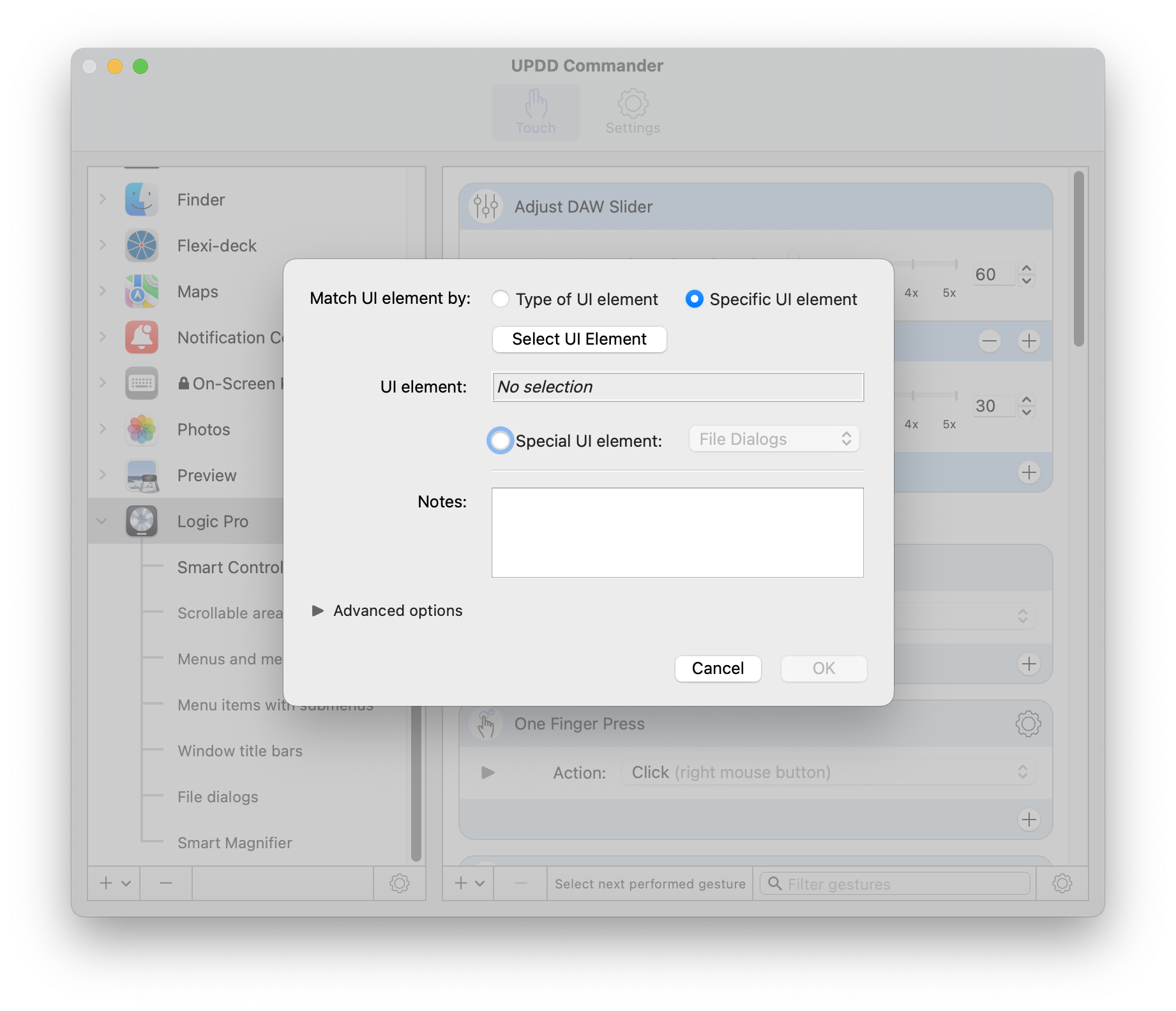
- Use the + button again to add a new UI element to the host application, and set it to "Specific UI element":
- Click the "Select UI Element" button and move the mouse cursor over the window that contains your plug-in's UI. It should highlight just the area for your plug-in. (This may not work in certain applications; it has been tested in Logic Pro and Pro Tools.)
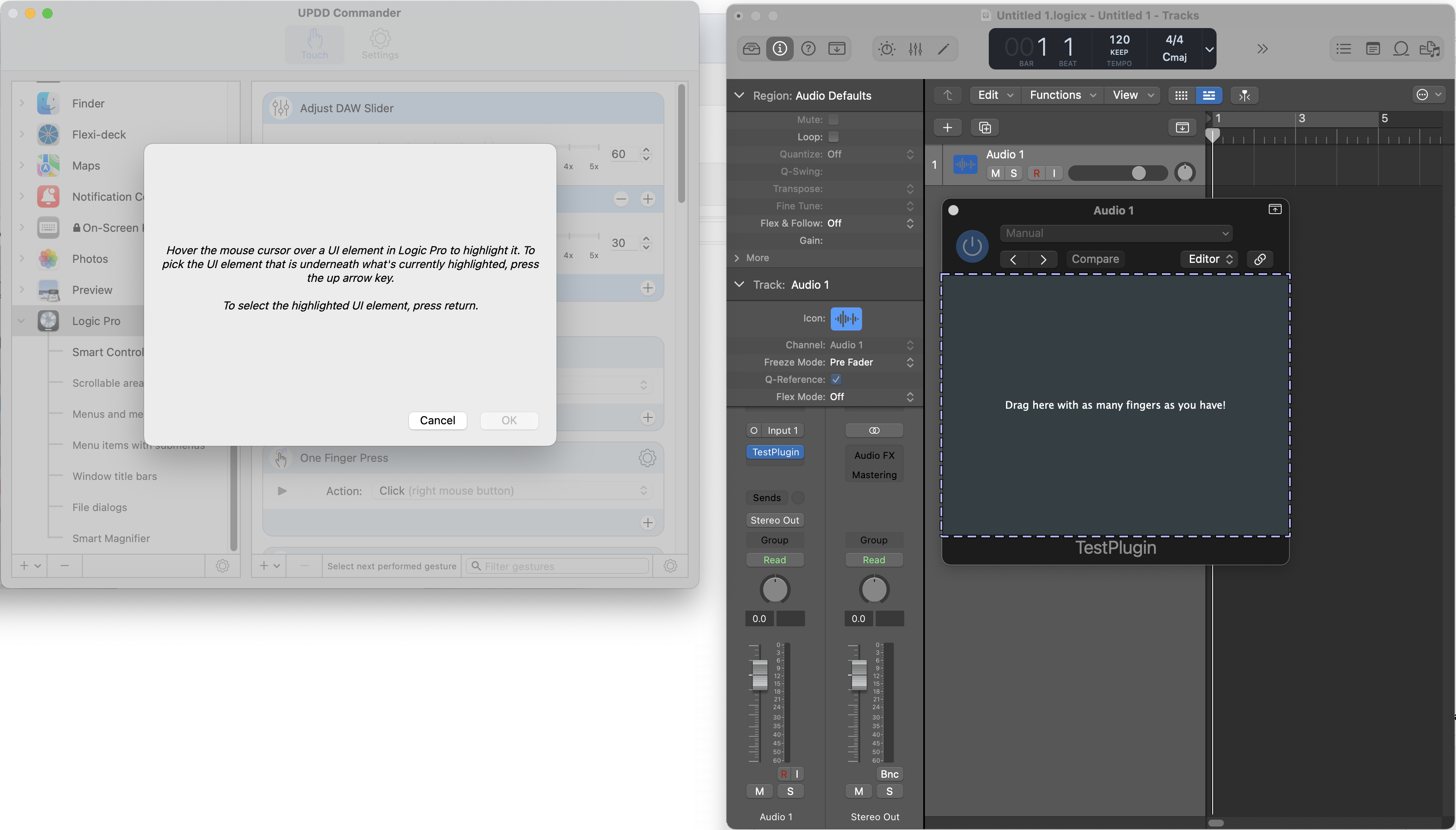
- Press the Return key to select that UI element, and then click OK in the dialog box for adding a UI element.
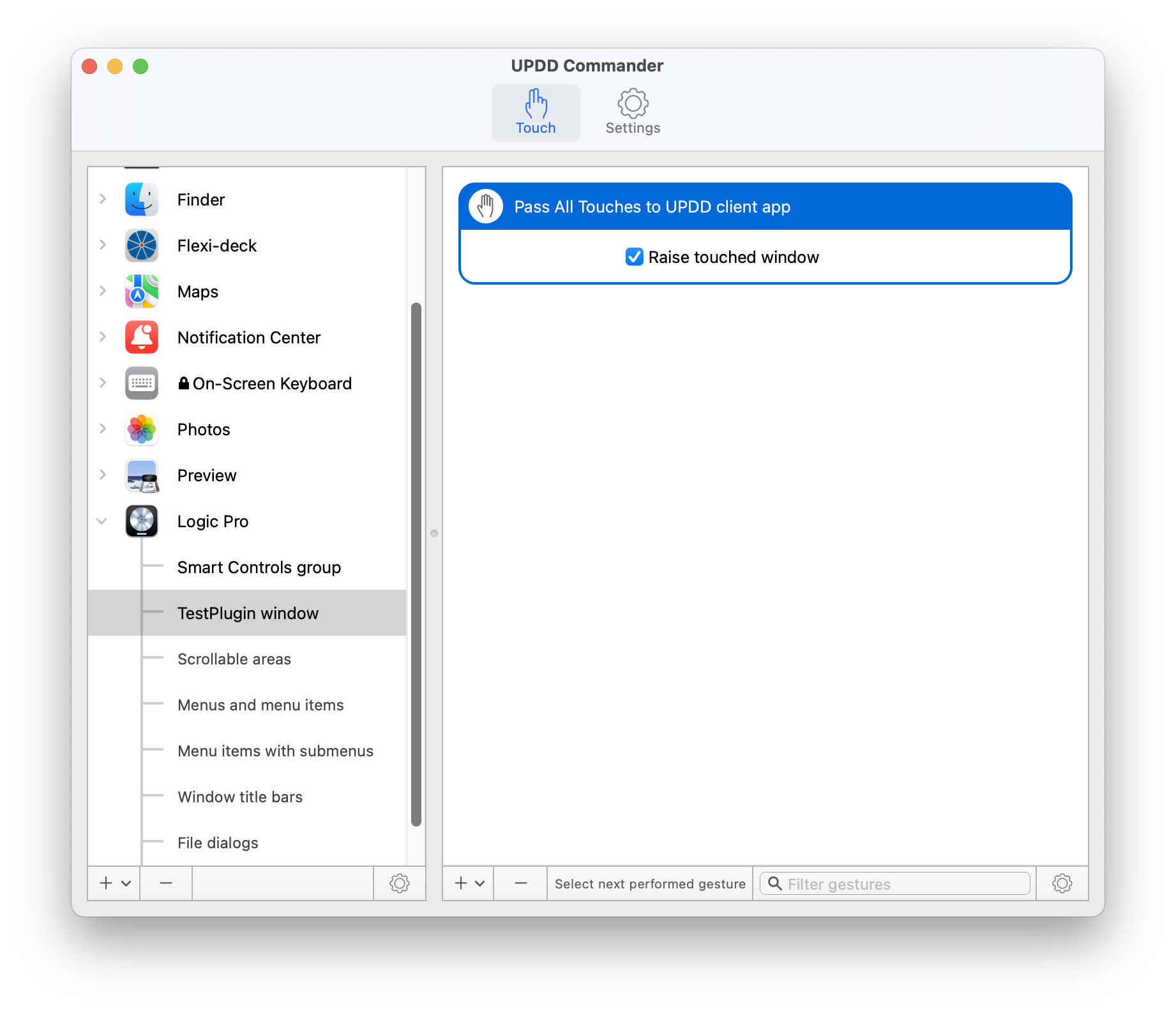
- Give the new UI element a descriptive name (such as "MyPlugin window") and give it a single gesture: click the + button beneath the list of gestures and select "All touches" > "Pass all touches to UPDD client app".
Using Commander with DAW applications in general is described in DAW applications.
For review
Not verifiable locally: the patch file, the Touch-Base-Ltd/JUCE fork and pull request 1382 are not in any local repository; the text is carried as written (dated 8 May 2024). The sentences hoping JUCE would adopt the change and that Commander would later detect UPDD clients automatically were dropped. The standalone application screenshots (juce-app-gestures.png, juce-app-settings.png) now illustrate the shared procedure in API applications alongside UPDD Commander.