Installation problems on Windows
Successful driver installation can depend on the state of the target system, and any issues with the system or with previous installations can cause problems during installation. If you are installing over a previous installation of the driver, we recommend that you uninstall the previous version and restart the system first.
This document lists the known UPDD installation problems on Windows and possible fixes. The installation itself is described in Install UPDD on Windows.
The application failed to initialize properly (0xc000001d)
If a program fails during installation, typically with the error 'The application failed to initialize properly', the C++ run-time library or other dependencies may be missing. Try installing the C++ run-time libraries as described below.
Missing C++ run-time libraries
The driver installer carries the Microsoft Visual C++ run-time (for UPDD 7, the 64-bit vc_redist.x64.exe) and runs it during installation, but some modules are expected to be present already. Missing modules are likely to be flagged during installation, as in this example where 'api-ms-win-crt-runtime-l1-1-0.dll' is missing:
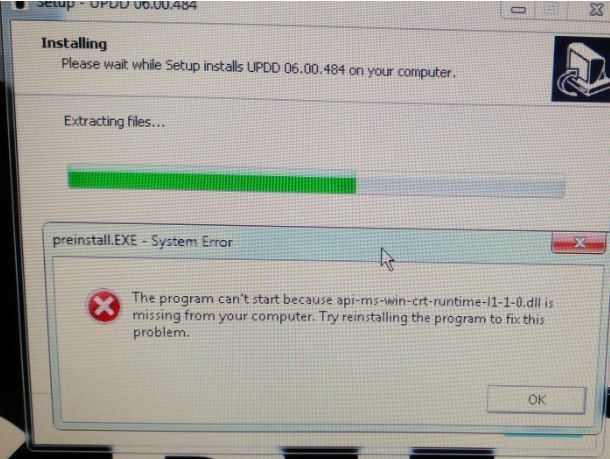
In this particular case the customer had a custom Windows Embedded Standard 7 build with UPDD 6 and needed to download and install the C++ Redistributable for Visual Studio 2015 (32 bit).
Installation never completes, stuck showing 'Installing...'
The installer waits for all required drivers to be installed, and if anything prevents this it does not finish. If this happens something is seriously wrong and it is difficult to document a resolution; manual intervention is normally needed.
One customer reported that selecting Shut down / Restart, but not actually proceeding with the shutdown, let the installer complete, although of course this did not resolve the underlying driver load issue.
We investigated one case, with UPDD 6, which was fine on Windows 7 but failed on Windows 10. The touch device kept resetting itself in an endless loop, which crashed the driver's USB library, so the installer never completed. The touch device worked with the Windows HID driver but did not like something about the Windows standard USB driver. Disconnecting the touch device would probably have let the installation finish.
Missing component during installation
During installation the message 'There is a problem with this Windows Installer package. A program required for this install to complete could not be run. Contact your support personnel or package vendor' is shown.
In the case we investigated, the UPDD components had been deleted by hand rather than with the standard uninstall procedure, including a component the installation needs, which left the installer in an inconsistent state. Microsoft provides a tool to repair installation problems, described here.
Security warning when running the installer
When new certificates are applied to our software there is a transitional period before the certificate is fully recognised. During this time Windows warns you to proceed with caution, as in these dialogs from Windows 10. Select the option to run the installer anyway:
| Warning | Run anyway |
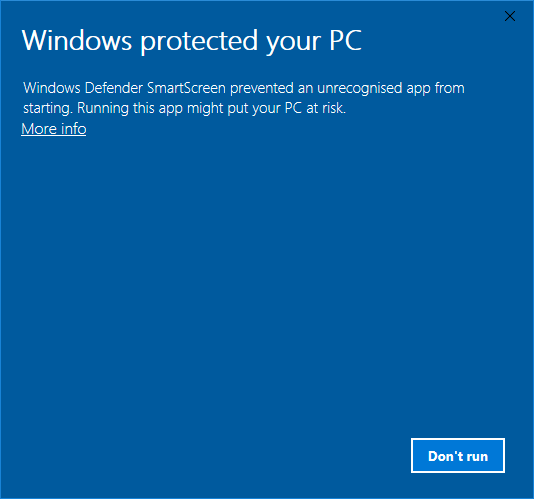 | 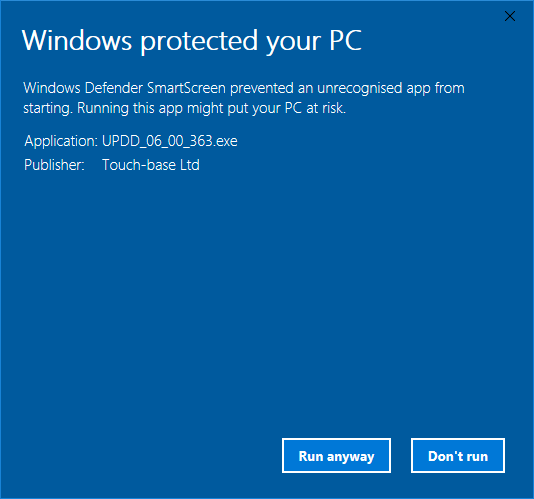 |
Windows may also ask whether to trust the Touch-Base device software while the drivers install; see Install UPDD on Windows.
After installation
If UPDD's virtual devices show a '!' in Device Manager after installation, or the driver reports that it has no mouse or touch interface, see Windows: virtual device and filter driver problems. If touch does not work after a successful installation, start with Touch not working: first steps.
For review
- 'Missing component during installation' quotes a Windows Installer (MSI) message. The UPDD 7 installer is built with Inno Setup (inno/updd.iss); confirm whether this can still occur with UPDD 7, or limit the section to UPDD 6.
- 'The application failed to initialize properly (0xc000001d)': 0xc000001d is STATUS_ILLEGAL_INSTRUCTION in Windows, not a missing-library code. The article's diagnosis (missing run-time) is kept as written; confirm.
- The UPDD 7 installer runs vc_redist.x64.exe when the package carries it (inno/updd.iss:82, 187-207; E:\d_drive\config\v6\redist\v7\vc_redist.x64.exe). Confirm every V7 Windows package carries it.
- The Windows XP / Windows 7 SHA-1 certificate section of 50333 is left out (UPDD 7 is Windows 10/11 only; review D14), as is its link to the retired 50569.