Adding multi-touch to an application
When programming for touch, you will likely use the touch APIs or events offered by the development framework of choice, and that framework will interface with whatever touch interface is available within the operating system. An application written for an operating system that supports touch will usually be satisfied by the standard touch interface built into the development tool or framework.
However, there are times when you may wish to use a different interface, for example to write a touch-enabled cross-platform application, or to implement multi-touch support where the operating system does not natively support it, such as macOS. This document is a brief introduction to help developers consider ways to improve cross-platform support within multi-touch aware applications, and the routes UPDD offers. How touch reaches applications from the user's point of view is described in What UPDD is and how touch reaches your applications.
Mouse emulation and gestures
Applications inherit the basic user interfaces supported by the development tools used to create them, which as an absolute minimum will be mouse clicks, clicks and drags etc. Clicks and clicks and drags are posted into the operating system by the drivers that support hardware capable of generating 'mouse' clicks, such as mice, trackpads and touch screens.
The standard Windows HID driver supports touch screens, including positional touches and gestures performed on the touch screen, and multi-touch trackpads. On macOS, the Magic Mouse and multi-touch trackpads also support gestures using a proprietary Apple driver. The generic macOS HID driver supports keyboards and mice but not touch screens, as the macOS desktop was not designed for touch interaction.
Applications with basic user interface requirements that may be used with touch are likely to rely on mouse emulation. On Windows this is natively supported by the Windows HID driver, and on macOS you can use UPDD in basic mouse emulation mode. Applications that respond to standard gestures can use Windows gesture touch support and macOS trackpad gesture support, or use UPDD Commander to process touch gestures on both Windows and macOS.
Cross-platform multi-touch
Difficulties arise when you want to implement custom multi-touch support in cross-platform development, to achieve the same functionality on both Windows and macOS. The touch interface implemented within the development framework may work well on Windows, with its native support for touch screens, but not work on macOS. This means that Windows users of a specific application may have a better touch experience than macOS users.
One multi-touch issue that is often raised by end users, and serves as a very good example of the issues that arise, is the use of sliders on digital audio workstation mixer desks and lighting applications. These make extensive use of slider controls that work best when the user can control two or more sliders at the same time. Under Windows this works, but with many applications only one slider works under macOS. This is typically because the development framework used to create the sliders uses a touch API that maps to Windows touch events but has no equivalent mapping under macOS, and so defaults to mouse mapping.
Choosing a route
There are a number of routes to consider when developing controls for cross-platform multi-touch use, so that touch functions work across operating systems:
| Option | Description |
| Mouse emulation | The application is driven by the system pointer. No change is needed, but only one touch point is available to the application. |
| UPDD API | UPDD has a comprehensive API that allows an application to receive touch data directly from the driver, removing the reliance on external mouse and gesture processing. |
| TUIO protocol | An industry standard for receiving touch data into an application. UPDD Commander can act as a TUIO server to service TUIO client applications. Other TUIO servers are available. |
| Qt | A widely used cross-platform development framework that supports touch interaction via the QTouchEvent API. By default this API works on Windows but not on macOS, where it reverts to mouse. The UPDDTouch Qt plugin satisfies Qt touch events on macOS. |
| Native | A macOS framework that simplifies the use of touch within a native macOS application, including applications made using the SwiftUI framework. |
| JUCE | JUCE is a popular cross-platform framework for creating applications and plug-ins for DAWs. A modification to its source code implements multi-touch support for macOS applications. |
| Others | Depending on requirement, a simpler "touch library" wrapping the UPDD API, or a JavaScript plugin performing a similar function to the Qt plugin for JavaScript touch events on macOS, may be possible. |
If you are using a cross-platform development platform that implements touch support and works well on Windows but not on macOS, raise a ticket to see what can be done to help.
An application that receives touches directly must also co-exist with UPDD Commander's own touch processing; see API applications alongside UPDD Commander.
Using the TUIO protocol
TUIO is an open and cross-platform protocol for delivering touch and object data from touch screens and surfaces to touch-enabled applications. This is of particular importance on macOS, as it does not have any built-in representation of touch events for applications to use, unlike Windows or mobile operating systems. TUIO has the advantage of being an open protocol with several libraries and reference implementations that can be used by both open and commercial applications, and it is already supported by many devices and applications, as listed on the official TUIO web page: https://www.tuio.org/?software
When building a touch-enabled application, though, there are some challenges with TUIO. Because it is a general protocol that represents touch data using normalised co-ordinates that are abstracted from any hardware, it is up to touch-enabled client applications to determine how touches should be interpreted and related to on-screen elements, and this generally requires configuration from the user. Minimally, users will need to specify which of their displays should be controlled by TUIO.
TUIO is based on the OSC protocol, which transmits data from a TUIO server to a TUIO client using UDP packets. For a TUIO client application to receive touches, it is necessary at minimum to configure:
- a UDP port number on which the application will receive TUIO data
- which display on the system will be controlled by the touches
The user will also need to configure the TUIO server software so that it transmits touch data to the IP address and port number of the system that is running the client application; how this is done varies with the TUIO server software. Further, the client application needs to determine how to correlate the normalised co-ordinates of TUIO touches with the screen co-ordinates on the host operating system. The most common case is where the normalised co-ordinates correspond to the edges of a touch screen display, with the co-ordinate (0,0) corresponding to the upper-left corner of the display and (1,1) to the lower-right corner. In that case it should be enough to have the user simply specify a port number and corresponding display.
Where there is more than one touch display, generally the best way to set this up is to have multiple TUIO servers transmitting data on different ports, with each server transmitting the touches of one display. The TUIO touch-enabled application should then allow the user to specify a port number and display combination for each of their touch displays.
It is possible for a TUIO server to handle the touches of multiple touch displays by mapping each display into a specific range of co-ordinates within the normalised co-ordinate space. It is then up to the client application to allow the user to configure exactly how normalised co-ordinates are mapped to system pixel co-ordinates. Because this is generally more complicated both to implement for the developer and to configure for the user, we do not recommend this approach unless there is a clear need for it.
UPDD Commander can be configured to run as a TUIO server that converts UPDD touches to TUIO. It can use different port numbers for different touch devices, making it relatively simple to configure it to send TUIO touches to any TUIO client application that works as described above, where one TUIO server corresponds to a single touch display. It can also represent the touches of multiple touch displays on a single TUIO server by dividing the X axis evenly between each touch device. See TUIO in Commander.
The TUIO slider example project demonstrates how to receive TUIO touches in a Qt application, along with a basic settings window that allows the user to specify one or more port numbers and corresponding displays. The same approach can be used in any application, regardless of the programming language and UI framework used to implement it.
Slider demo programs
To aid the development of multi-touch controls, a slider application has been created that uses the various touch interfaces described above.
There are two flavours of the example Qt multi-touch program: one that uses the TUIO protocol and one that uses the Qt plugin (compatible with UPDD V7) to satisfy the touches.
When invoked, two copies of the dialog are loaded, which should be placed on the touch monitor. This allows you to see how two instances of the same application can interface with touch. The TUIO server (part of UPDD Commander) and the Qt plugin receive touch data from the UPDD driver via the API.
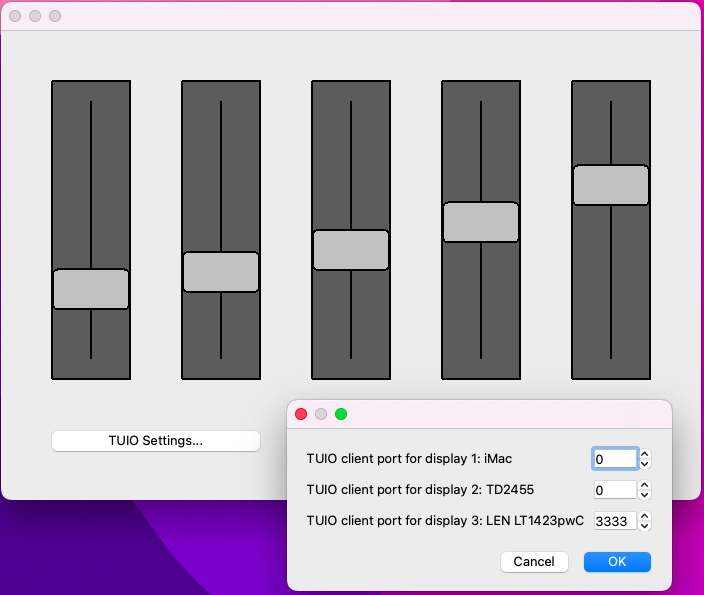
The TUIO version provides a more or less minimal example of how to use TUIO to control sliders in Qt, and might be applicable to other frameworks as well. For the demo to work, it has to be configured using the "TUIO Settings..." button, where each touch display must be associated with a TUIO server by port number.
The source code of this application is available at these links: one that runs as a TUIO client, and one that uses the Qt plugin.
A slider demo implemented in both AppKit and SwiftUI is included with the source of the UPDDMultitouch framework.
Commercial examples
The Studio One DAW uses TUIO as its touch interface.
The developer of Mixing Station used the UPDD API to implement direct touch support within one day. The application receives touches directly from the driver and processes them using the same code that processes touches received from the Windows touch event API. See Mixing Station.
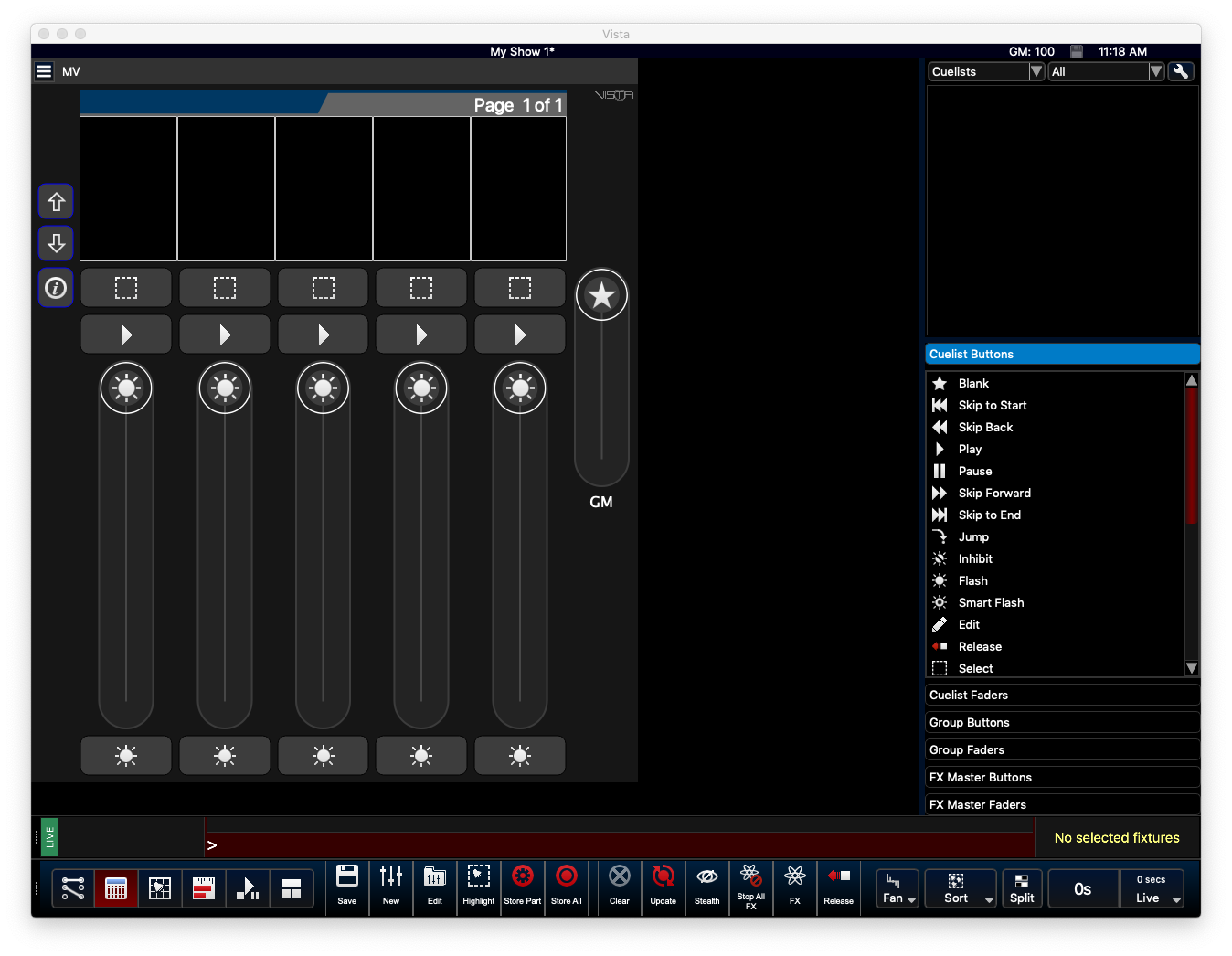
The Vista lighting application uses the Qt plugin to allow multi-touch features, such as multiple sliders, to work under macOS; its Qt touch event API now receives touches in both Windows and macOS environments.