Uninstall UPDD on macOS
This document describes how to uninstall UPDD from macOS with the UPDD Uninstall program, silently from the command line, and what the uninstaller removes. It applies to UPDD 6 and 7.
Running UPDD Uninstall
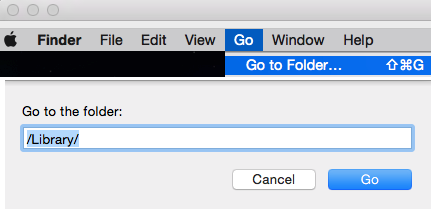
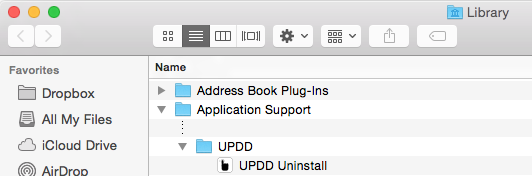
To uninstall, locate and run the UPDD Uninstall program. Since UPDD 6.0.242 there is a shortcut to it in the Utilities folder:

This shortcut links to the uninstaller held in the /Library/Application Support/UPDD folder.
 |  |
You need to enter your login details to authenticate the uninstall request, and then the process starts. The uninstaller welcome screen is shown; click Continue.
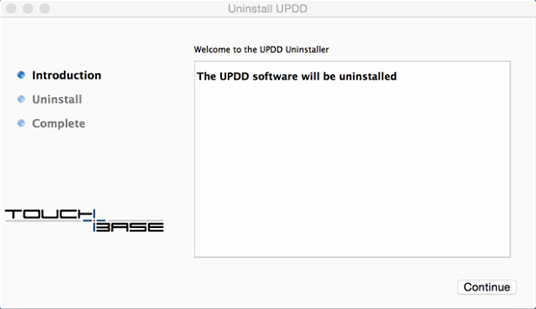
After a few moments the completion screen is shown:
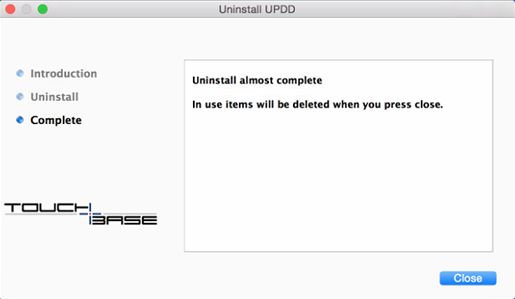
Click Close to complete the uninstall.
For review
The macOS uninstaller was rewritten as a native Cocoa application in August 2026 (uninstall/macosx/tbuninstall.m, tbmain.m; #738324, #372515). The welcome and completion screenshots above are from the UPDD 6 uninstaller; confirm they still match, or replace them.
What is removed
The uninstaller also uninstalls the UPDD extensions that require the driver, such as UPDD Commander. In order, it:
- deactivates the UPDD system extension, if one is installed;
- runs UPDD Commander's own uninstall, which asks whether to delete Commander's settings (see Commander gesture settings);
- unloads the driver and stops the UPDD processes for all users;
- deletes the UPDD applications from /Applications/Utilities, the start-up items (/Library/LaunchDaemons/com.touch-base.updd.plist, /Library/LaunchAgents/com.touch-base.updddaemon.plist and /Library/LaunchAgents/com.touch-base.upddcommander.plist), the links in /usr/local/bin (upddprocesses, upddutils, qt.conf) and the libupddapi links in /usr/local/lib;
- removes any UPDD 6 kernel extension;
- deletes /Library/Application Support/UPDD and the settings folder /Library/Preferences/updd.
If the system extension cannot be deactivated, the uninstaller keeps UPDD System Extension.app in /Applications/Utilities, so that the extension can still be removed later, and a reboot is likely to be needed. See macOS: allowing the UPDD driver extension.
Commander gesture settings
Since UPDD 7.0.48 the uninstall can optionally delete the UPDD Commander application, gesture and action settings. This is controlled by the global setting updd_commander_uninstall_settings, whose values are described in Commander settings reference.
Silent uninstall
In some cases it may be desirable to uninstall silently, especially when called from a third-party uninstaller that needs to remove UPDD as part of its own uninstall. In this case call the uninstall program with the -s (or --silent) option. In this mode the uninstaller shows no window and does not ask for authentication, so it must be run with administrator privileges, for example:
sudo "/Library/Application Support/UPDD/UPDD Uninstall.app/Contents/MacOS/UPDD Uninstall" -s