Uninstall UPDD on Windows
This document describes how to uninstall UPDD from Windows, interactively or from the command line, and what the uninstaller does. It applies to UPDD 7; UPDD 6 is uninstalled the same way from its own folder, C:\Program Files (x86)\UPDD.
Standard uninstall
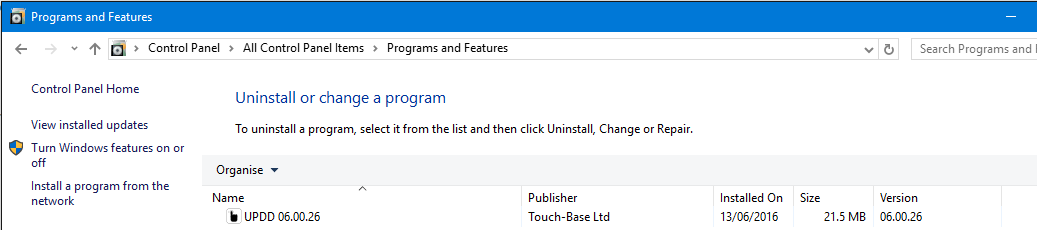
To uninstall, locate and select the UPDD entry in Programs and Features (or the equivalent in your Windows version):
Uninstalling from the command line
The Windows driver installation and uninstallation is based on the Inno Setup installer. The uninstall program is located in the UPDD application folder, C:\Program Files\UPDD (UPDD 6: C:\Program Files (x86)\UPDD), and is called unins000.exe.
The uninstall options that can be used with this program are shown here. For example, to uninstall silently:
"C:\Program Files\UPDD\unins000.exe" /VERYSILENT /SUPPRESSMSGBOXES /NORESTARTWhat the uninstaller does
In order, the uninstaller:
- unregisters the UPDD licence on this system (see Releasing and moving a licence);
- runs UPDD Commander's own uninstall, if Commander is installed, which asks whether to delete Commander's gesture and action settings; the global setting updd_commander_uninstall_settings controls this, as described in Commander settings reference;
- stops the UPDD programs and the updd service, removes the service and unloads the driver;
- deletes the settings folder C:\ProgramData\updd (the settings database and any updd.ini bootstrap file) and the UPDD application folder, including its dumps and inf folders.
For USB devices the driver has a pending read on the USB device. After uninstalling, this read blocks any other driver, such as the Windows HID driver, from getting control of the device until a reboot. In this case, go to the Device Manager and request a re-scan manually. This should allow HID to take control.
Note: the UPDD setting usb_timeout times out this read every N seconds and then reissues it. If it is set to a non-zero value the read eventually clears, so that HID automatically takes control after uninstalling. It is not set by default as it has caused an issue with some controllers.